Outlook how to create pst file
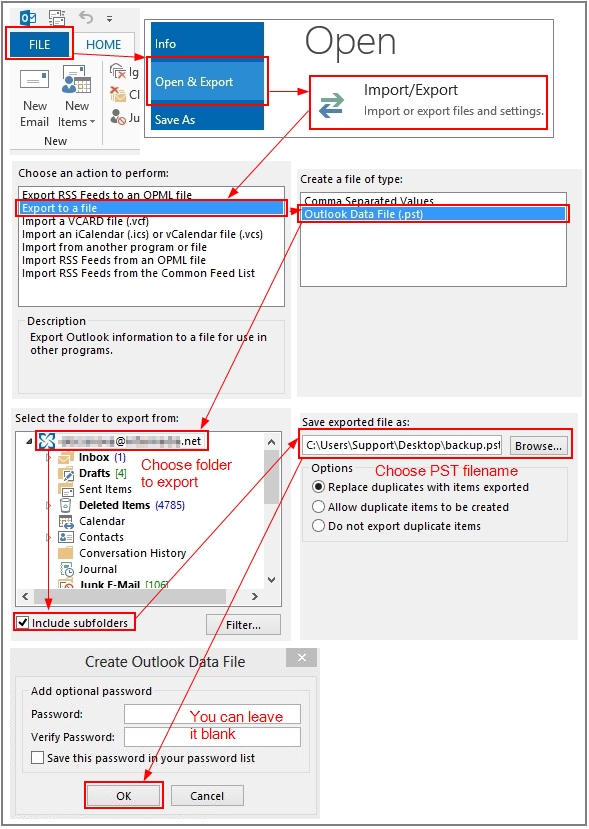 On the File tab on the Ribbon, click on Open&Export, then click on Import/Export.Click on Export to a file, then click on Next. Select Outlook Data File (.pst), then click on Next. Select the folder you want to export, then click on Next. Choose the filename you want to use for the data to be exported. Click on Finish. Add password if needed. Alternatively, you can leave it blank. Click on OK.
Note: As the local .pst file may be corrupted, it is recommended to perform the task while using Outlook in Online mode, to ensure that the actual data from the server is being exported.